


Home Design Makeover
4.513.03K Reviews
App Specs
- Version
- 6.9.3g
- Updated On
- License
- Free
- Downloads
- 10,000,000+
- Developer
- Storm8 Studios
- Categories
- Simulation
- Platform
- Android, iOS
Screenshots
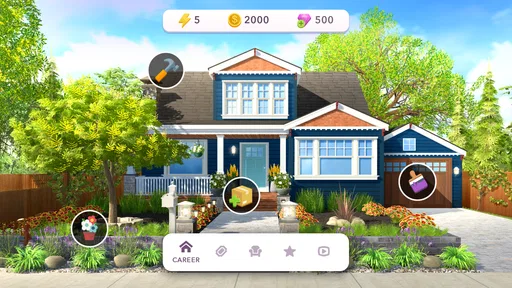
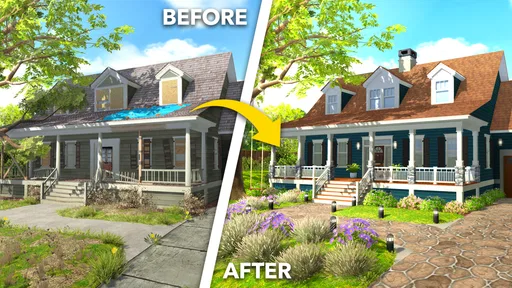
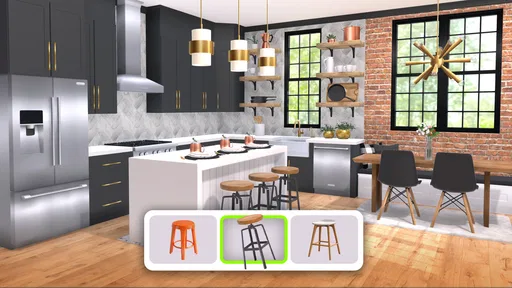
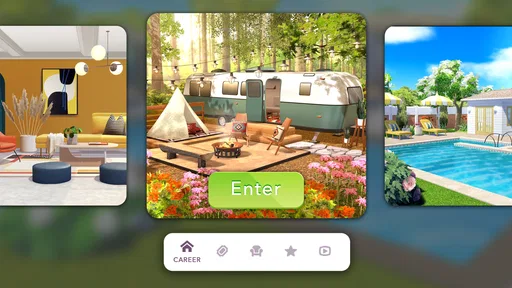
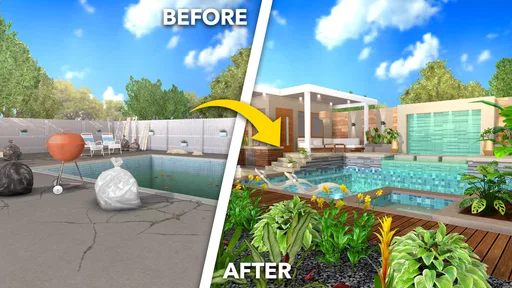
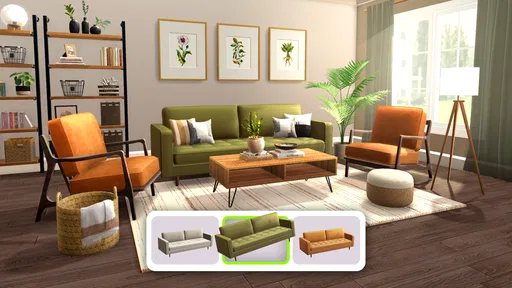
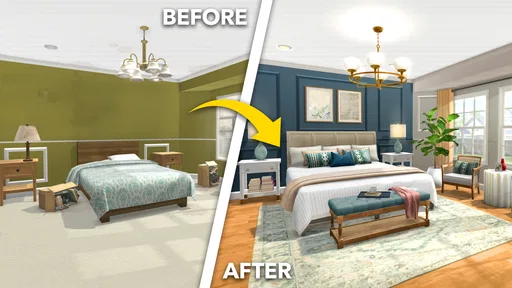

 Analysis by AppCompare
I usually reach for a home-design game when I want a small creative project without having to plan a real renovation. Home Design Makeover brings that idea together with match-3 puzzles: I work through a board, earn resources, and use them to change rooms. The result suits short breaks, although it is more of a guided decorating game than an open-ended design tool.
A practical rhythm for playing
My most comfortable way to play is to treat each visit as a small loop: make progress on a puzzle, spend the rewards on the room, then decide whether I have time for another round. That keeps the game’s two sides connected. The puzzle is not a separate distraction; it is the work that moves a makeover forward.
This rhythm also makes the game easy to pick up after a busy day. I can focus on a few moves and one visible design decision instead of needing to remember a complicated plan. When I have more time, I can stay with the puzzle and see how far I get. The decorating gives each session a clear payoff, while the match-3 boards provide a familiar task to return to.
It is worth knowing what kind of creativity the game encourages. I choose among the available furnishings, colors, and styles rather than designing a room from a blank canvas. That structure is helpful if I enjoy comparing looks but do not want to make every decision from scratch. If I want precise control over dimensions, layouts, or real-world materials, a dedicated interior-planning app is a better fit.
Settings and habits that make a difference
I would start by checking the device’s sound and notification settings before settling into a longer session. The best balance is personal: I may want the game audible when I am relaxing at home, but prefer it quiet during a commute or a break around other people. These are simple device-level choices, yet they make a casual game less intrusive.
A useful habit is to pause at the room-choice screen and compare the available looks before spending the resources earned from a puzzle. The game is about making selections, so taking a moment to weigh the alternatives makes the makeover feel more intentional. I also avoid tapping through room decisions while distracted; it is easy to miss the visual difference between options when I am rushing.
For puzzle sessions, I try to scan the board before making the first match rather than tapping the most obvious combination immediately. That small pause helps me look for moves that may set up another match or clear more useful pieces. It does not guarantee a win, and the board can still force awkward choices, but a deliberate opening is more satisfying than playing on autopilot.
Worth Reading Before You Choose

EA SPORTS FC Mobile 26 Is a Bigger Football Game, but It Takes Time

Flipboard Shows What News Apps Must Do Beyond the Feed

Switching to Android Auto Means Rethinking Your Driving Routine

Google Calendar Makes a Crowded Week Easier to Manage

Ludo King Makes the Most of the Minutes Between Plans

Baby Panda World Brings Quick Play to Modern Phones, but Its Game Library Feels Busy
Why the design-and-puzzle mix works
Among home design games, this one is best understood as a decorating progression wrapped around match-3 play. Compared with a pure tile-matching game, it gives the puzzle a visible purpose: the reward contributes to a room that changes as I make choices. Compared with a standalone design sandbox, it asks me to earn progress through levels instead of letting me freely furnish everything at once.
That trade-off is the central appeal. Players who like collecting rewards and seeing a project advance may find the structure motivating. Players who want to spend most of their time experimenting with interiors may find the puzzle requirement gets between them and the part they enjoy. Neither preference is wrong; it is simply a question of whether the puzzle loop feels like a satisfying route to the design or an interruption.
A realistic use case is a short evening break: I can play a puzzle, make a room decision, and stop without needing to set up a long building session. It also works for someone who enjoys visual choices but appreciates a clear next step. I would skip it if I wanted a practical renovation planner, detailed floor plans, or an unrestricted way to reproduce my own home.
How the Makeover Loop Holds Up
When I first downloaded Home Design Makeover, I wasn’t sure what to expect. Would it be a simple puzzle game or something more immersive? Spoiler alert: it’s both, and it does a pretty good job at keeping you hooked. The app combines interior design challenges with match-3 puzzles. Yes, it’s a bit like Candy Crush, but every puzzle you solve earns you resources to renovate rooms. The more puzzles you complete, the more design options you unlock. Pretty neat, right?
The app starts you off with a humble abode in need of some serious TLC. Your mission? Transform these spaces into stunning rooms that would make any homeowner proud. You’ll tackle everything from cozy living rooms to elegant kitchens. And trust me, watching a room go from drab to fab is ridiculously satisfying.
Designing Your Dream
The design aspect is where the magic happens. As a player, you get to choose between various styles, colors, and furnishings. It’s like having a mini design studio right in your pocket. The options are pretty extensive, allowing you to let your creativity run wild. Want a modern minimalist look? Go for it. Prefer something more traditional? There are plenty of options for that too.
One of the things I love is the attention to detail. The graphics are vibrant and crisp, making each design choice stand out. It feels like you’re actually flipping through a designer catalog. Plus, the app is continuously updated with new challenges and design elements, keeping things fresh.
Puzzle Solving with a Purpose
Now, let’s talk puzzles. The match-3 puzzles are the backbone of the game. Each level you complete earns you coins which are essential for unlocking new design pieces. And while these puzzles start off easy, they do ramp up in difficulty. But don’t worry, they’re not impossibly hard. Just challenging enough to keep you engaged but not so tough that you want to throw your phone across the room.
There’s a strategic element to the puzzles too. You have to think a few moves ahead, especially in the later levels, which adds a nice layer of complexity. It’s not just about matching colors; it’s about planning your moves to maximize coin collection.
When Progress Feels Slower
The point where I would change my pace is when a puzzle starts demanding several attempts. Rather than treating each board as a quick win, I take a breath, study the available matches, and avoid making moves simply because they are easy to spot. That is a repeatable approach, not a secret trick: it helps me make considered choices, but it cannot remove the challenge when a level becomes difficult.
The game’s progression also means that decorating is tied to puzzle progress. If I am in the mood to rearrange rooms continuously, that dependency can feel restrictive. If I am happy to alternate between matching and furnishing, it gives each design choice a sense of earned progress. I would not choose this as a substitute for a freeform room editor, but I do like the rhythm when I want both activities in one game.
For anyone wondering whether spending is necessary, the game is free to download, and optional in-app purchases range from $0.99 to $109.99 per item. I would begin without buying anything and see whether the ordinary puzzle-and-renovation loop feels rewarding. Purchases can make sense for someone who has already decided the game is a regular hobby, but they are not a reason to start if the main appeal is simply trying a few room designs.
A Few Nooks to Note
Of course, no app is perfect. While Home Design Makeover is generally a smooth ride, there are a few bumps along the way. The most notable is the energy system. You have a limited amount of energy, and once it’s depleted, you’ll either have to wait or make an in-app purchase to keep playing. It’s a bit of a bummer, especially when you’re on a roll.
Another thing to consider is the in-app purchases. While the game is free to download, some design elements and features are locked behind paywalls. It’s not a deal-breaker, but it’s something to be aware of if you’re not keen on spending money.
As a simulation game from Storm8 Studios, it is built around an accessible, stylized version of home improvement rather than realistic construction. That makes it approachable for casual play, but it also sets a boundary: the satisfaction comes from selecting among the game’s design options, not learning how a real renovation is planned. If I want the puzzle element to be the main event, a dedicated match-3 game may be a cleaner choice; if I want to visualize an actual room, a planning tool is more useful.
Who I’d Recommend It To
I would recommend it to people who enjoy choosing between room styles, like having a goal attached to their puzzles, or want a low-pressure game they can return to in short sessions. It is also a reasonable pick for younger players: its content rating is Everyone. The design theme gives the matching levels a gentle sense of context, rather than asking me to clear boards with no connection to a larger project.
I would be more cautious if someone dislikes waiting-based progress, wants every furnishing choice available immediately, or is especially sensitive to optional purchases. The game’s free entry makes it easy to try, but that does not mean every player will enjoy the pace or the link between puzzles and room updates. A good test is whether earning the next design choice feels motivating; if it feels like a barrier, a different kind of design game will probably suit better.
It is an established mobile title, with an average rating of 4.5 from around 220,000 ratings and over 10 million installs. The current version is 6.7.6g, and it requires Android 7.0 or later. For me, those details make it a straightforward option to consider on a compatible Android device, while the actual fit still comes down to whether its two-part loop sounds enjoyable.
Wrapping It Up
In the end, Home Design Makeover is a delightful mix of creativity and puzzle-solving that offers plenty of entertainment. Whether you’re a design enthusiast or just looking for a fun way to pass the time, this app is worth a download. It’s a great way to flex your creative muscles and test your puzzle-solving skills, all while indulging in your interior design fantasies.
So, if you’re ready to transform drab spaces into dream homes and enjoy a good puzzle along the way, give Home Design Makeover a try. And hey, who knows? You might just find some inspiration for your own home along the way.
Pros
- Intuitive user interface for easy navigation.
- Variety of design styles and themes available.
- Regular updates with new furniture options.
- Challenging puzzles enhance gameplay experience.
- Offline mode available for uninterrupted play.
Cons
- In-app purchases can be quite expensive.
- Limited free design options without spending.
- Occasional lag on older devices.
- Some puzzles feel repetitive over time.
- Advertisements can interrupt gameplay.
FAQs for Home Design Makeover
What is Home Design Makeover?
Home Design Makeover is a mobile game that allows players to unleash their interior design skills by renovating and decorating various rooms. Players can solve match-3 puzzles to earn resources, which are then used to purchase furniture and decor to transform spaces. It's available on both Android and iOS platforms.
How do the match-3 puzzles work in Home Design Makeover?
In Home Design Makeover, match-3 puzzles are a core element. Players must align three or more identical items to clear them from the board. Successfully completing these puzzles earns you resources, which are essential for purchasing items to design and upgrade the rooms in the game.
Are there in-app purchases in Home Design Makeover?
Yes, Home Design Makeover offers in-app purchases. Players can buy coins and gems to speed up the renovation process or purchase exclusive items. While the game is free to download and play, spending money can enhance the experience by providing access to premium resources and designs.
Is an internet connection required to play Home Design Makeover?
An internet connection is required to play Home Design Makeover. This allows the game to sync progress, access new content updates, and participate in special events. However, some features may be available offline, but the full experience necessitates being online.
What kind of customization options are available in Home Design Makeover?
Home Design Makeover offers a wide range of customization options, allowing players to choose from various styles, colors, and furniture pieces. Each renovation project provides several choices, enabling users to personalize rooms according to their tastes. The game regularly updates with new items to keep the design options fresh.


